AI Image Upscaler
Enlarge photos and illustrations 2×–8× in your browser. Logos can stay on Lanczos. No upload, no account.
▸▾Sharper than a normal resize — not a desktop upscaler
On GPU browsers, photos at 4× run Real-ESRGAN general v3 (~5 MB). Illustrations, badges, and line art use Real-ESRGAN anime 6B (~18 MB) on WebGPU or WASM. Other browsers use Swin2SR for photos if WebGPU is unavailable. 2× photos always use Swin2SR. Optional Restore faces runs GFPGAN on detected faces after the upscale. Graphic / logo mode is Lanczos resize plus light sharpen — no neural net. A 4× result cannot exceed 8,192 px on a side. A 1,000×13,000 infographic is shrunk before upscaling — export those from the design file, or split them into shorter sections.
Important note
This tool is best for upscaling product photos or illustrations at 2x to 4x. It isn’t meant to replace desktop tools that offer more processing power. On mobile devices, the output is capped at 2,048 pixels, so Safari and Chrome don’t refresh during the upscaling cycle. Very tall and wide graphic files like infographics or full-page screenshots cannot be enlarged to a full 4x scale. Desktop upscaling is capped at 8,192 pixels. These files will be shrunk first, so the result will be blurry.
Drop files or a folder here
or click to browse · paste from clipboard
Accepts .JPG, .JPEG, .PNG, .WEBP, .BMP, .TIFF · Up to 1,000 files
How it works
Drop your files
Drag or click to open your files in the upscaler. If you’re upscaling a large file, I’d recommend doing one or two per batch so it finishes faster.
Choose settings
Select an upscale factor, image type, and other options to match your upscaling needs.
Click Convert
Images upscale in the browser through WebAssembly. Nothing is uploaded.
Download
Download files individually or grab all at once as a ZIP.
How the upscaler works
Try a Google search for “image upscaler,” and most of these tools will upload your photos to a server, cap you at a few images per day, or limit you to upscaling one or two before you need to sign up and pay a monthly fee to keep using them.
These tools range from $9 to $500 depending on the plan you select. Most of these require users to upload photos to a server for their software to use AI to re-encode these photos (more on how image upscaling works below).
ConvertYard’s image upscaler works locally in your browser, so files aren’t uploaded to an unknown server, there’s no need to sign up, and there’s no usage limit.
When you open or drop a file, three things happen:
- The browser detects the image type, whether it’s a photograph, graphic, or illustration (that is, if you leave it on auto-detect). The tool bases the detection on color count and flat regions. But for the best results, you’ll have to specify what type of image it is.
- A model will run in your browser, locally. How fast the process is depends on the image type, the memory available on your computer, and browser GPU support. One of these will load and cache:
- Real-ESRGAN v3 (around 5 MB) — photos at 4× on GPU browsers (WebGPU).
- Swin2SR — photos at 2×, and the 4× fallback when WebGPU isn’t available.
- Real-ESRGAN anime 6B (around 18 MB) — for illustrations, line art, badges, or comic graphics.
- Lanczos + unsharp mask — for logos, graphics, and anything else where you don’t want a neural net making decisions.
- Optional second pass if the Restore faces option is turned on. The tool detects faces in the photo and runs GFPGAN (around 340 MB, cached after first use) over each detected face to clean up eyes, skin tone, and mouth.
Everything stays inside the browser. After you open the page and the tools are loaded, it will keep working even if you turn off the Wi-Fi connection — the models are saved in the browser’s cache.
Upscaling vs. enlarging: what’s the difference?
One of the biggest misconceptions is that upscaling and enlarging images are the same thing, but in reality these are different processes.
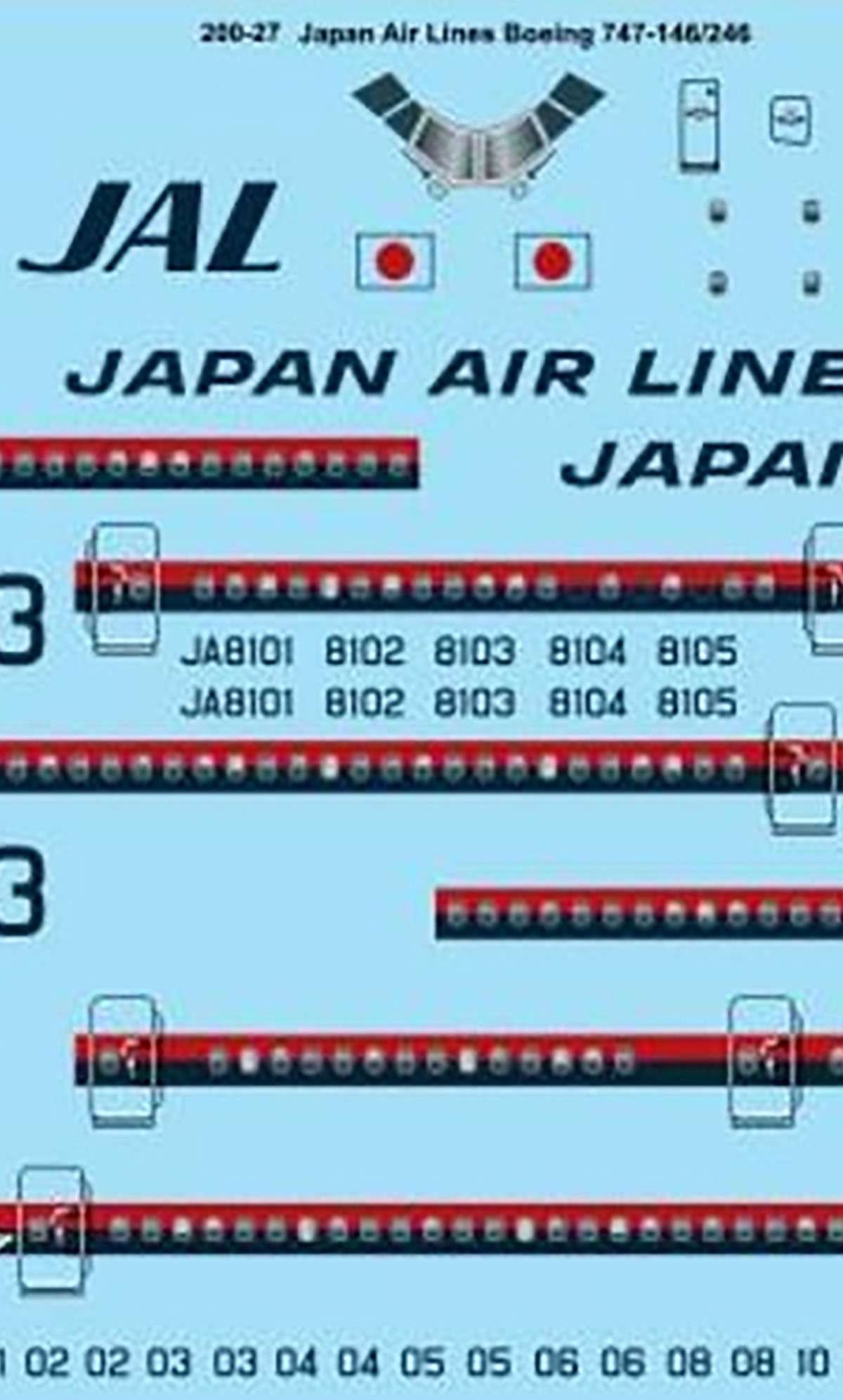
Image enlarging relies on pure math: the tool simply enlarges the pixels, spreads them over a larger grid, and fills the gaps by averaging “neighbors” (bilinear, bicubic, Lanczos). In layman’s terms, it stretches the image to meet size requirements; it doesn’t enhance anything. Soft edges stay soft, blurry details get blurrier, and small text gets bigger and fuzzier. This is exactly what happens when you drag a photo’s corner in a document, or enlarge an image to twice its size in a basic photo editor.
Here’s an example of an enlarged image using a photo editor.
Instead of recalculating and stretching pixels, upscaling uses an AI model trained on millions of sharp images. Instead of averaging, it “predicts” the missing detail and how it should look based on patterns it learned during training — like how an eyelash looks, a clean font edge, or the texture of a brick. The output includes detail that stays close to the original file.
And here’s an example of an upscaled image using ConvertYard.
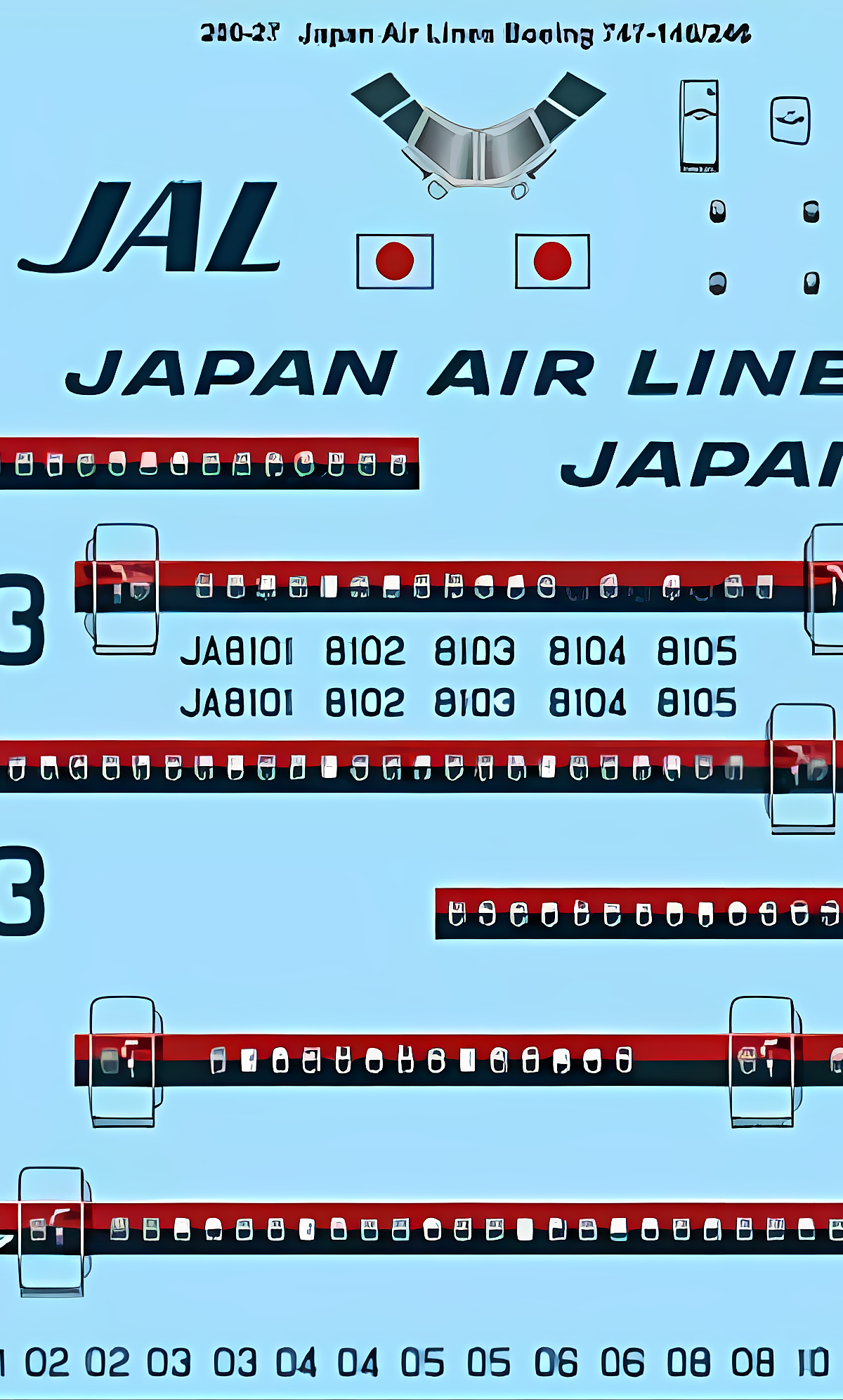
One quick way to tell if an image is upscaled or enlarged is to zoom in around 4×. The enlarged photo will have noticeably blurry edges, while the upscaled photo will have sharper edges and some recovered texture.
For photographs and illustrations, this tool uses AI to upscale the image, meaning it will predict, enhance, and even add detail that wasn’t in the original.
However, for logos and graphics, it doesn’t use AI but a “Lanczos + unsharp mask” combination, otherwise called a “classic sharpening resize.” It works like a classic photo enlargement but adds a sharpening filter at the end to boost contrast. It’s called “classic” because this is the technique photographers and graphic artists have used to enlarge images for over 20 years.
Picking the right image type
I understand this tool has an auto-detect feature, and it gets it right most of the time. But for the best results, I suggest choosing the type of photo manually.
- Photo (AI): real-world photographs like landscapes, images of people, or places. Any photo you take on vacation falls into this category.
- Illustration (AI): graphic art like comics, anime stills, badges, stickers — anything with lines, text, or drawn art.
- Graphic / logo (Lanczos): UI mockups, QR codes, icons, anything with geometric lines or edges. This model skips AI because it’s prone to creating a halo effect on tight text.
I’ve tested these options extensively, and honestly, use either Photo or Illustration for any graphic that requires text, sharp lines, or logos. This will produce the best results for most non-photographed images.
So if using the Illustration mode produces a glow or halo around the lettering or logo, try the Graphic / logo option.
Choosing a scale
- 2× (fastest option): the best option for photos for websites. It basically doubles the image size, so a 900×300 pixel wide image becomes 1800×600 pixels — perfect for headers or hero images.
- 3×: this runs the 4× model, then uses Lanczos to downsize the image. It uses the 4× model to upscale the image to four times its original size, then uses Lanczos to downsize it to 3×.
- 4× (recommended option): the sweet spot for upscaling images. Best quality-to-speed ratio, and the model is specifically trained to upscale images 4×.
- 8× (slowest option): runs the 4× model once, then uses Lanczos to upsample the result to 8×. Because of the extra resize and larger output, it uses a lot of memory. Avoid using this unless you need the larger dimensions.
One thing to note is that the 4× result is limited to 8,192 pixels on the longest side. If you’re working with large photographs or images that would exceed this, the tool will shrink the photo or graphic first before upscaling, which softens and in some cases makes the upscaled image worse. For the best results, keep the source image under 2,048 pixels and use a PNG source.
If you’re working with a JPG file, convert it to PNG first before upscaling to prevent any loss of pixel data.
Best practices by image type
For photos
- Start by using the 4× upscale and auto-detect.
- Turn on the Enhance option if the source image is slightly soft — it adds contrast and sharpens the edges without touching the skin or sky elements of the image.
- If you’re upscaling selfies, ID photos, or scanned portraits, turn on the Restore faces option. Skip this step on photos that are already sharp.
- For photos with a lot of noise taken in low-light conditions, expect a softer result. The model smooths out the noise and can’t invent something that wasn’t there.
Illustrations and comics
- Select Illustration mode manually if you have a graphic image with lots of flat color. The Auto option may work, but can miscategorize clear JPG files.
- Avoid turning on the Enhance or Restore faces option. These options aren’t used in Illustration mode, so they won’t affect the output.
- I mentioned earlier to use Illustration mode on graphic files, including logos or screenshots with lots of text, but if it produces halos or glows, try Graphic / logo instead.
Logos and UI
This is the last resort for any logo or images with lots of text. Choose this model only if the output from Illustration mode produces a glow or halo.
- Use this on logos, graphic files, or images with lots of text.
- If the source comes from a vector file, re-export it from the original file to a PNG, then try using this upscaler. However, if you have access to a graphic editor, export it to the size you need instead of using an upscaler.
Prints
- A 500×500 photograph upscaled at 4× gives you an image with a 2,000×2,000 pixel dimension, which is good enough for a 6×6 inch printout at 300 DPI. This is fine for small printouts (between 4R and 6R).
- For larger print requirements, start from a higher-resolution source with dimensions of at least 2,000×2,000 pixels, then upscale to 4×. If you need something larger, you’ll have to pay for a premium tool like Topaz for larger-format prints.
Batching
While this tool can run batches of files, I suggest processing one file at a time to prevent the browser from freezing because it runs out of memory. If you’re upscaling images 2× or 4×, you can do up to 5 images per batch, but for 8×, do one image at a time for smaller images below 800 pixels. If you try doing 20 images or more, you’ll see a warning.
Output format
I recommend leaving the output format at the default setting, which is to match the input, unless you have a good reason to switch. For the best results (and I’ve said this repeatedly), convert lossy formats like JPG into PNG before upscaling. Choose WebP if a smaller file size is a high priority.
What this tool is not
Take note that this is a browser upscaler, not software like Topaz Gigapixel. These desktop apps run full-precision models that can do multiple passes, have dedicated denoisers, and allow more memory usage than a browser upscaler.
A browser upscaler will provide comparable results at smaller output dimensions. I’ve tested Topaz, and the results I get are similar to what I got from this image upscaler. The only time I’d recommend using a dedicated image upscaling app is if you need a larger-format printout for the graphic and you don’t have access to the source vector file, or you don’t have an editor to open it. But if you only need an upscaled image for your website, the ConvertYard image upscaler is enough for the task. Try it out and let me know what you think.
Frequently asked questions
Nope, files aren’t uploaded to a third-party server; images are upscaled in the browser. This tool uses the Real-ESRGAN v3 script (around 5 MB cost on GPU) for upscaling photos, with Swin2SR as a backup. For illustrations, it uses Real-ESRGAN anime 6B (around 18 MB) and runs on WebGPU or WASM. For portrait images, it utilizes the GFPGAN script. Once the page loads, these models are cached in the browser, so you can upscale images even without an internet connection.
Photo: Uses Real-ESRGAN v3 (4× resolution) for photos, falling back to Swin2SR 2× if needed. Illustration: Uses Real-ESRGAN anime 6B for rendering still line art, badges, and comic pages on WebGPU or WASM. Graphic / logo: Simply uses Lanczos resampling and a tiny amount of unsharp masking. Auto-detect: Sends images with few colors / flat patches to the Illustration codepath. Restore faces is an additional pass with GFPGAN on photos only.
The short answer is yes. Here’s the difference. Standard upscaling stretches pixels and recalculates how they are distributed; put simply, it’s like dragging the corner of an image in an image editor to a larger plane and stretching it. The result is a blurrier image that’s worse than the original. Image upscaling (depending on the setting) uses a trained AI model to “predict” missing details and enhance patterns it learned during its training sessions. So it’s identical in a way to premium image upscaler tools, but with a more limited scope due to memory constraints. The resulting image isn’t blurred but sharper.
To be honest, this won’t match Topaz or any desktop upscaler since those use AI to regenerate blurry sections of the image. Topaz Photo AI and Gigapixel run full-precision models on your GPU - denoise, sharpen, face recovery, and then upsample. However, it works well to upscale a 600-pixel landscape image to a 2,400-pixel version without blurring it. I’ve tested it extensively on various photos and illustrations, and it matches other paid image upscaling websites. It works best for upscaling illustrations or graphics without stretching or pixelating the image.
4× is best balance of quality and speed, followed by 2× (faster) and 3× (slightly faster than 4×, uses same 4× model, then Lanczos downsampled to 3×). 8× mode runs the 4× model followed by Lanczos upsampling to 8×. The illustration uses the 4× still-art model, then upsamples to 2×/3×/8× using Lanczos.
Noisy or low-light images, and portraits with Restore faces disabled. Small text and logos in illustration mode can create halos – switch to Graphic/logo mode. Tall and wide images larger than 8,192 pixels in either dimension will be pre-shrunk to fit the browser’s canvas, resulting in a soft and blurry image.
This depends on the infographic’s size. It pre-shrinks anything over 8,192 pixels. For best results, use an infographic smaller than 2,048 pixels.
For example, a 500×500 pixel image scaled up 4× would result in a 2,000×2,000 pixel image, about 6×6 inches at 300 DPI, which is suitable for low-quantity printing. Please note that this upscaler will not be as good as what you get with Topaz tools. I’ve tried to make this upscaler as good as possible, but please let me know how it performs for you and any ideas for improvement. Email me here: hello @ convertyard . com.
This setting runs an extra pass after photo upscaling, uses a small detector to find faces in the image, and then GFPGAN refines the eyes, skin, and mouth in each crop. It’s great for recent selfies, ID photos, and old, worn portraits. The only images where you’d disable this and let the image upscale as-is are already very sharp images, and this feature can make them look very plastic and fake. See also: Illustration/Graphic Modes. The first use of this feature downloads and caches a ~340MB file to the browser cache (which is then reused for subsequent uses of this feature—no images are uploaded).
That would depend on the dimensions of the images you’re upscaling. For images/graphics over 1,000 pixels, upscaling between 2x and 4x, you could do up to 5 images per batch. If you’re upscaling an image over 1,000 pixels at 8x, do one file at a time to prevent the browser from freezing due to memory running out.